Exporting the simulation study files for CMOST
With the last step of the Simulation Study workflow (jewellabs > Simulation Study > Export Study) you export your study files to a folder with the name of the study, which can be used to create a study in CMOST.
To export the study files, select the simulation study of interest from the Simulation study drop-down list, and click Apply or OK.
The study folder has all the files required to continue the workflow in CMOST. The exported study files are:
- Simulation input files (*.dat file and *.inc files if they exist)
- Simulation results file (*.sr3)
- StudyAuxiliaryData.json
- UncertainParameters.json
- Jewel file (*.jewel)
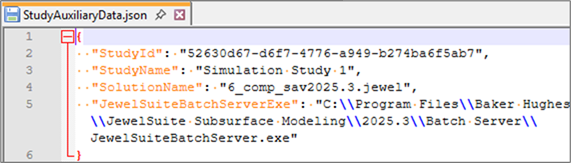
StudyAuxiliaryData.json file contains the information for Study ID, Jewel file name and JewelSuite Batch Server directory in it. click to enlarge
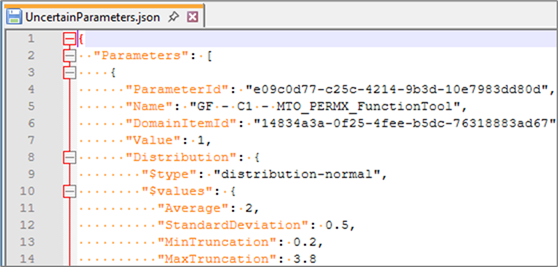
UncertainParameters.json file contains the information for JewelSuite uncertainty parameters' reference values and probability density functions. click to enlarge